
Unified IT Operations Platform
One Platform for Smarter IT Operations
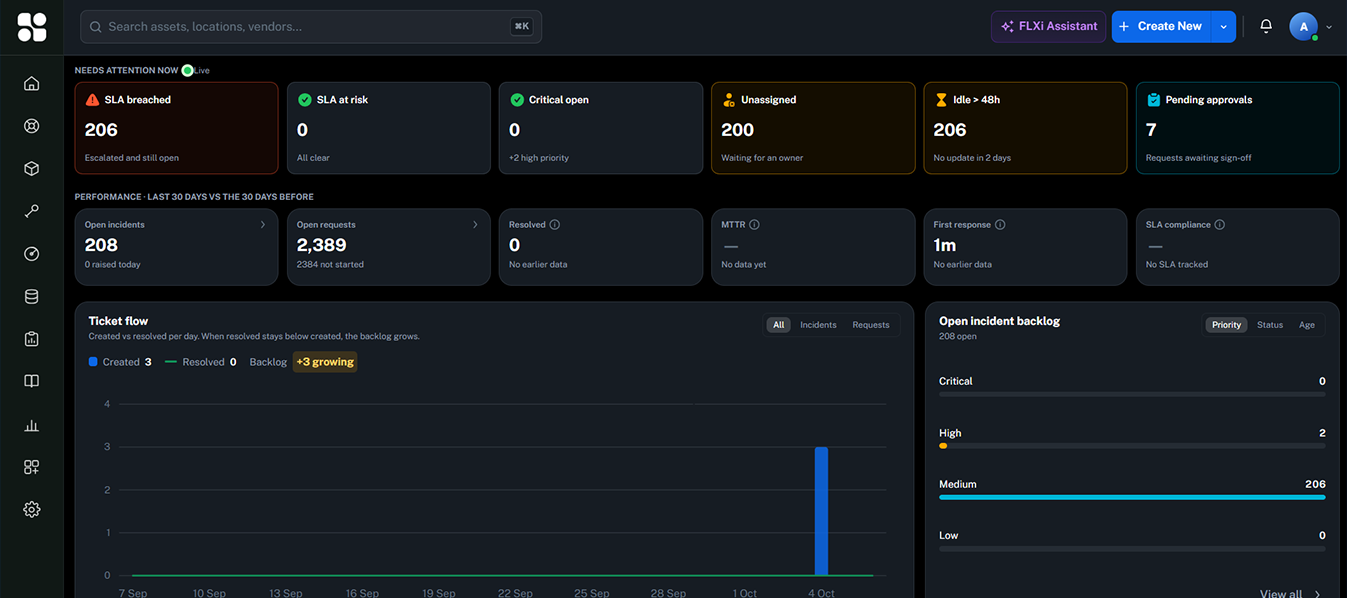
ServiceFLX connects discovery, infrastructure monitoring, IT service management, enterprise asset management and automation through one intelligent operational platform — where every ticket, asset, contract, change and alert refers to the same record.
The problem
Your IT is connected. Your tools usually aren't.
Service desk in one tool, the asset register in a spreadsheet, monitoring in another product, vendor contracts in email. Each works — together they leave gaps.
The typical stack
- Asset Managementseparate system
- Service Deskseparate system
- Monitoringseparate system
- Contractsseparate system
- Knowledgeseparate system
- Change Managementseparate system
- Remote Supportseparate system
The result
- Tickets without context
- Unknown assets
- Repeated incidents
- Missed renewals
- Slow troubleshooting
- Disconnected teams
- Manual reporting
ISO/IEC 27001 (A.5.9) and CIS Control 1 start with the same requirement: know what you have. Fragmented tools make that impossible to prove.
The ServiceFLX answer
One operational platform. One shared source of truth.
Infrastructure, assets, services, people and workflows operate from the same record. Discovery feeds the register; the register gives tickets their context; monitoring turns signals into work — automatically.
- Users
- Assets
- Infrastructure
- Services
- Tickets
- Monitoring
- Contracts
- Changes
- Knowledge
- Automation
- FLXi AI
How the platform works
Five layers. One operational flow.
Discover → Observe → Understand → Manage → Act. Each layer compounds the one before it.
Discover
Discover every asset — agent, network, SNMP, import.
OpenObserve
Monitor infrastructure, services, events and operational signals.
OpenUnderstand
FLXi AI, event correlation and operational context.
OpenManage
ITSM, ITAM, EAM, CMDB, service catalog and change.
OpenAct
Automation, workflows, tickets, escalations and maintenance.
OpenServiceFLX Observe
See what is happening across IT.
The operational visibility layer: events, alerts, logs and monitoring for infrastructure, applications, services, network, backup, security and SaaS — with correlation and noise reduction built in.
- Event monitoring
- Alert management
- Log visibility
- Infrastructure & network monitoring
- Backup & security events
- Threshold monitoring
- Alert correlation
- Noise reduction
- Automated ticket creation
- Operational dashboards
Observe → Correlate → Prioritize → Act
Explore Observe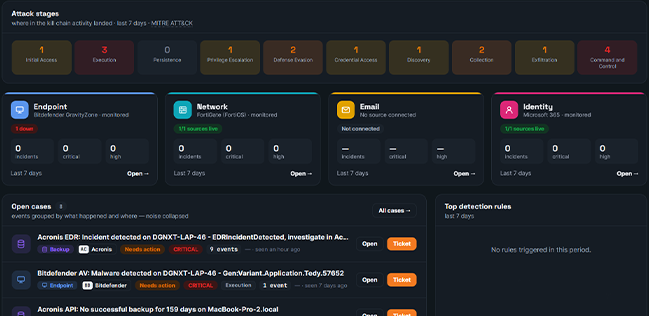
ServiceFLX InfraScan
Know your infrastructure.
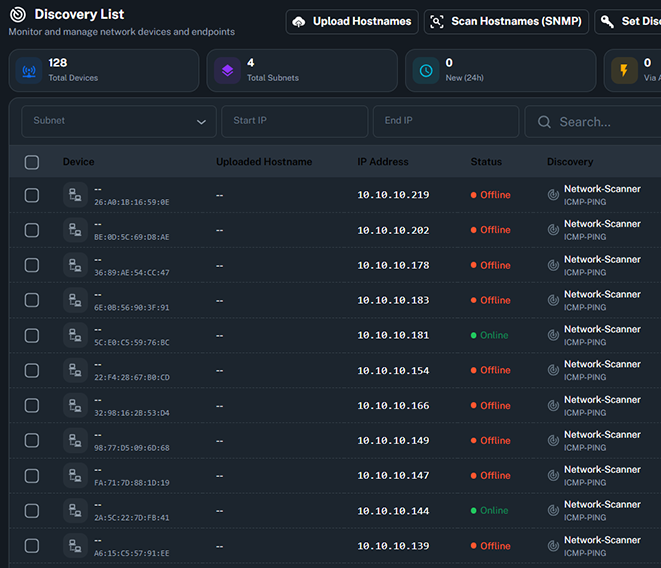
Agent discovery, network discovery, SNMP, ICMP and Syslog — across servers, storage, applications, services and network devices. Every discovered device lands in the same asset register the service desk uses.
FLXi AI
From alerts to understanding.
FLXi is the intelligence layer across ServiceFLX — not a bolt-on chatbot. It reads the same operational record as everything else, so its answers carry real context.
- “What's wrong?”
- “What's changed?”
- “What needs attention?”
- “Which incidents are related?”
Ticket intelligence
Summarization, classification, suggested resolution and context extraction on every ticket.
Event correlation
Multiple signals become one operational incident — with duplicates suppressed.
Knowledge intelligence
Resolved issues convert into reusable knowledge, suggested in the flow of work.
AI reporting
Operational summaries for stand-ups, service reviews and audits — generated, not assembled.
Operational insights
Recurring issues, unusual activity, SLA risk, asset risk and trends surfaced early.
Copilot in the portal
Natural-language help for end users — status, warranty and history on request.
IT Service Management
Turn every request into a managed service.
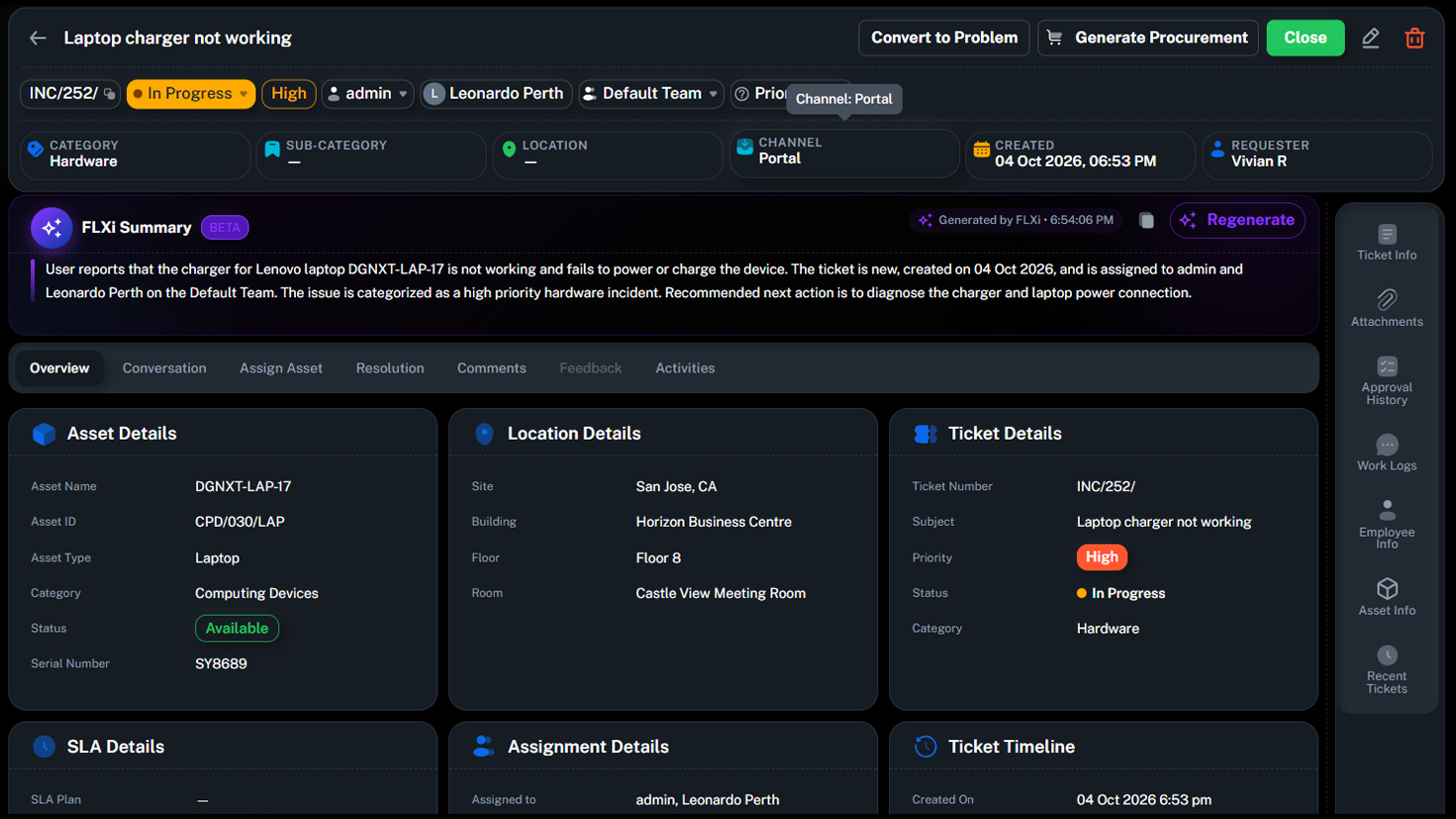
Incident, request, problem and change management — ITIL-aligned, with intake by email, portal, chat and API. Every ticket arrives with its asset, user, warranty and history already attached.
- User request
- Ticket
- Asset context
- Technician
- SLA
- Resolution
- Incident Management
- Request Management
- Problem Management
- Change Management
- SLA / OLA with business calendars
- Service Catalog
- Self-Service portal
- Knowledge Base
- Approval workflows
- Escalations & breach alerts
- Skill-based assignment
- Reporting & trends
Every ticket has context. Ticket + user + asset + warranty + history + monitoring + knowledge = context-rich resolution.
Explore ITSMEnterprise Asset Management
Know what you own. Where it is. Who uses it. What happens next.
IT assets and non-IT assets on one register — with ownership, location, warranty, AMC, contracts, maintenance history and software licensing in the same record the auditor sees.
Laptops, desktops, servers, network devices, printers and software — discovered, classified and reconciled continuously.
Equipment, facilities and operational assets on the same register — inventory, spares and assignments included.
Asset lifecycle
- 1Procure
- 2Deploy
- 3Assign
- 4Maintain
- 5Renew
- 6Retire
Warranty and AMC expiry alerts fire before anything lapses — reuse before you buy, and stop paying for unused licences.
CMDB
Understand what depends on what.
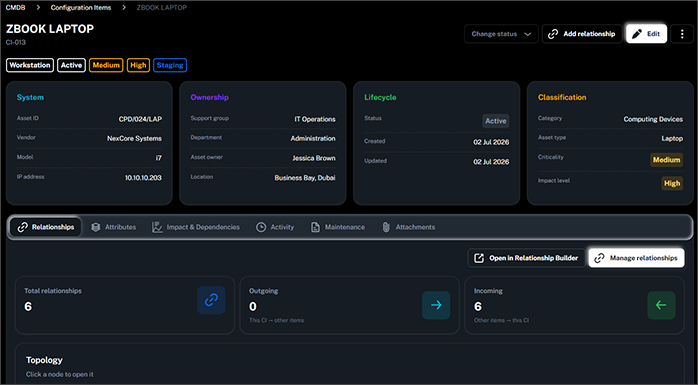
Configuration items, relationships and dependencies — from business service down to network. Incident → affected service → affected infrastructure, known before you pick up the phone.
- Business services mapped to applications, servers, databases, storage and network
- Impact assessment built into every change and incident
- Relationships maintained automatically by discovery — not by hand
Trigger
Backup failure detected
Condition
Severity = critical
Actions
- 1Create ticket
- 2Assign on-call technician
- 3Start P1 SLA clock
- 4Notify team channel
Trigger
Warranty expiring in 60 days
Condition
Asset still in use
Actions
- 1Create renewal task
- 2Notify asset owner
- 3Attach quote history
Trigger
Infrastructure alert storm
Condition
≥ 3 alerts, same core switch
Actions
- 1Correlate into one incident
- 2Suppress duplicate tickets
- 3Escalate to network team
Automation
When something happens, ServiceFLX can act.
A no-code trigger → condition → action builder spanning every module. Approvals, notifications, escalations and cross-module workflows — like warranty expiry turning into a renewal task, automatically.
The connected workflow
From discovery to resolution.
Every stage updates the same operational record — the register stays current as a by-product of daily work.
01 · Discover
Find devices across the network.
Outcomes by stakeholder
The same platform. A different win for every seat.
CIO / IT Director
One platform and one contract for service, assets and visibility. Less tool sprawl, more operational control.
CISO / Compliance
Reconciled inventory, governed change and an immutable audit history — evidence on demand.
IT Manager
Lifecycle, warranty and AMC tracking tied to the service desk, with alerts before anything lapses.
Service Desk Lead
Asset context on every ticket, skill-based assignment and SLA/OLA automation built into the flow.
Procurement / Finance
Spare stock, unassigned licences and contract commitments visible before new spend is approved.
Employees
A simple portal and mobile app to request, track and self-resolve — with AI help in the flow.
Adoption path
Start small. Expand on one platform.
Land with a discovery comparison; expand module by module at your pace.
1 · Register
Start with discovery
Scan one segment and compare it with today's register — a measurable view of the visibility gap.
2 · Service desk
Move service onto the platform
Move incidents, requests and SLAs onto the platform with asset context attached.
3 · Control
Add governance
Add change management, contracts/AMC, lifecycle automation and compliance reports.
4 · Expand
Extend operations
Extend to monitoring, dependency mapping, preventive maintenance and IT projects.
MSP & service providers
Multi-tenant edition and white-label options to run ServiceFLX as a service.
Learn moreIntegrations
REST APIs, SDKs, CSV/API import, email, chat and directory connectors.
Learn moreSecurity & control
SSO via SAML/OIDC/OAuth 2.0, RBAC, immutable audit trail, on-premise option.
Learn moreBook a demo
See ServiceFLX in your environment.
A working session with your scenarios — discovery, service desk, monitoring and automation on your data.